
Anime Nexus RNG Rolling Guide: Extra Rolls and Roll Tickets
Keep rolling while you play, add extra units to your pulls and spend tickets with your Luck boosts active.
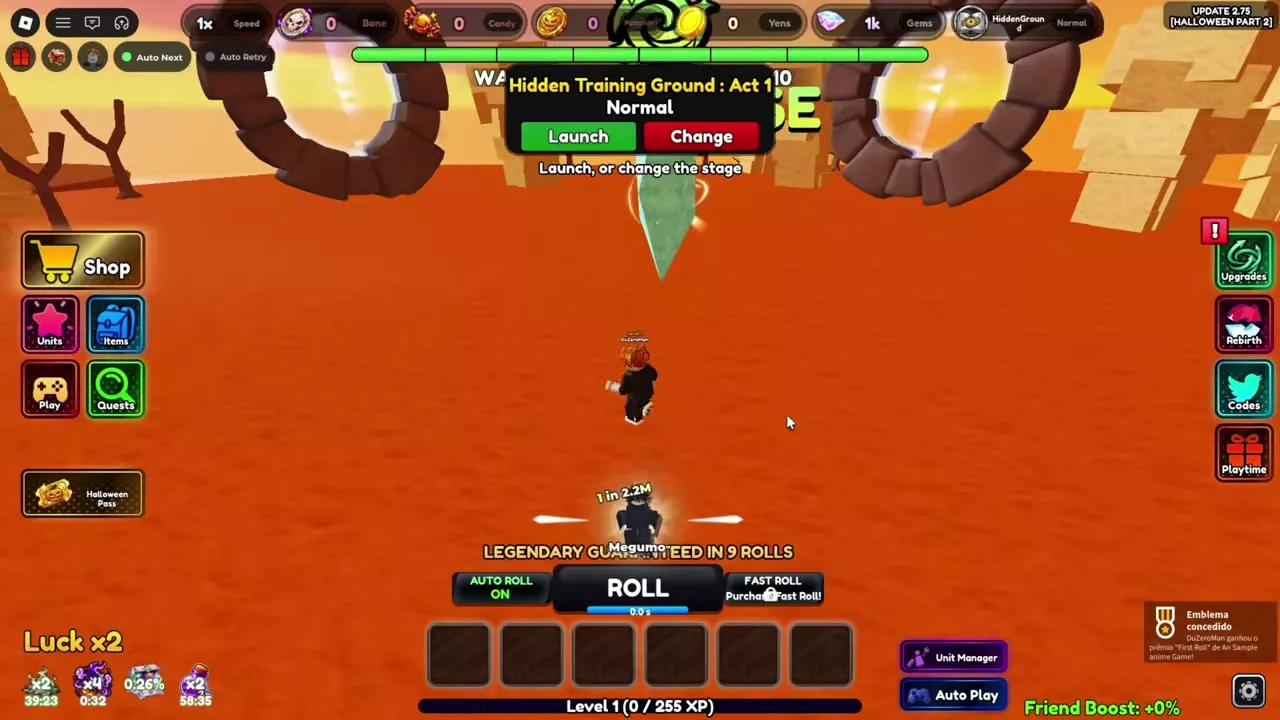
Press ROLL for a manual pull or turn AUTO ROLL ON to continue while moving, fighting or mining. Before using Roll Ticket x100, activate your Luck boosts and check your selling settings and storage. Each ticket performs 100 instant rolls using your current Luck; Auto Sell and full-storage sales apply to the results.
Normal Roll and Auto Roll
Use the roll controls at the bottom of the screen:
| Action | Control |
|---|---|
| Pull manually | ROLL |
| Keep pulling | AUTO ROLL: ON |
Auto Roll continues while you move around the lobby, fight or mine, so you can collect units alongside those activities. Normal rolling draws units from Common through Nexus.
Read the unit name and displayed rarity when a result appears. The Legendary and Mythic guarantee countdowns above the controls show how many rolls remain until the indicated guarantee. A remaining-roll count is your current progress toward that guarantee.
When an inventory-full message interrupts rolling, open Units and sell or feed unwanted units to free space before continuing.
Extra units per roll
Extra-unit effects increase the number of units you receive. Roll speed controls how quickly you pull; Luck changes the outcomes of those pulls.
| Bonus | Effect | Requirement or duration |
|---|---|---|
| Guild Level 2 | +1 Roll per roll | Private servers |
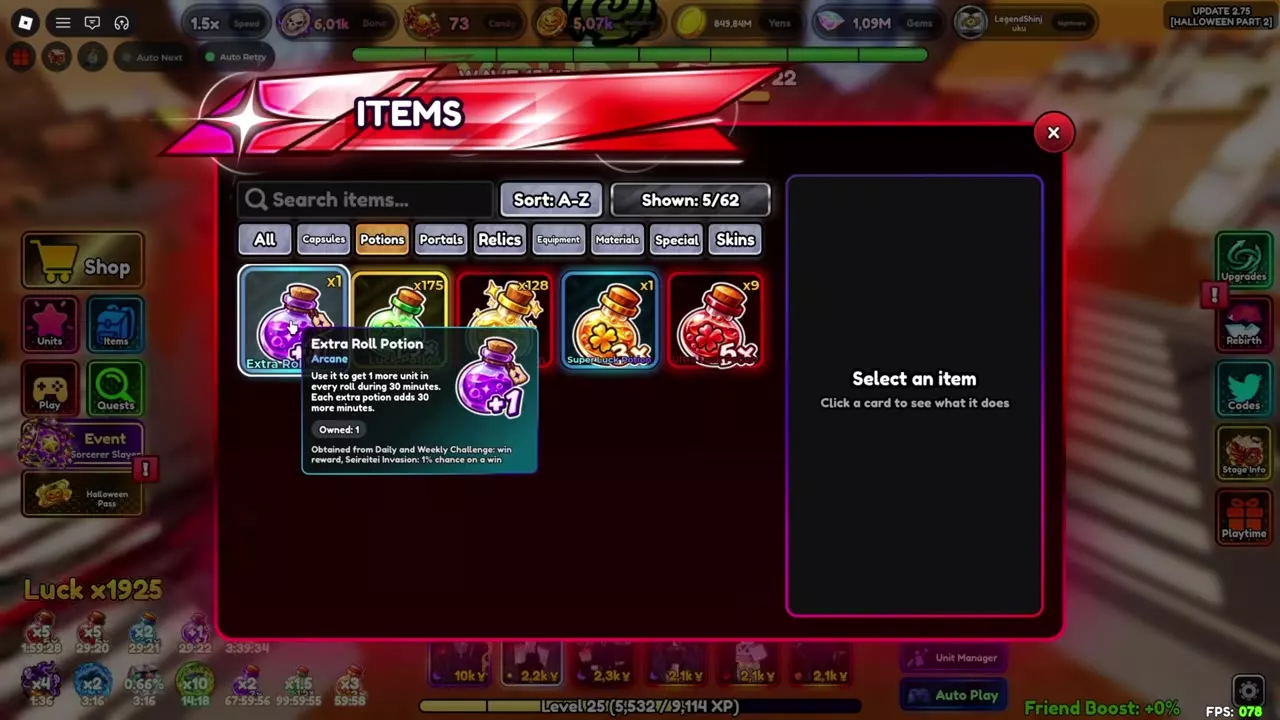
| Extra Roll Potion | +1 unit per roll | 30 minutes per bottle |
| Double Roll | 5%–25% extra-unit chance | Five Skill Tree levels |
Guild Level 2
In private servers, the Guild Level 2 bonus gives one additional roll on every roll, replacing its previous +3% Luck bonus.
Extra Roll Potion
Open Items, choose Potions and use Extra Roll Potion. It adds one unit to every roll for 30 minutes. Additional bottles extend the duration by 30 minutes each, so use more bottles when you want a longer rolling session.
Double Roll
In private servers, unlock Double Roll after Extra Roll in the Skill Tree. Each level adds five percentage points to the chance of receiving an extra unit:
| Double Roll level | Extra-unit chance |
|---|---|
| 1 | 5% |
| 2 | 10% |
| 3 | 15% |
| 4 | 20% |
| 5 | 25% |
All five levels cost approximately 250 million Gems in total. This is a long-term upgrade with a chance-based effect; the potion supplies an extra unit on each roll while active.
Multi roll is also available as a game pass for 299 Robux.
Ticket sources
Shops and Daily Rewards
- Yen Shop: In private servers, reach 1,000 total rolls to unlock manual Roll Ticket purchases. Daily stock is 50–100 Roll Tickets and refreshes at 00:00 UTC. Auto Buy never purchases them.
- Shinjuku Showdown Shop: Open Events, select Shinjuku Showdown and enter its shop to buy Roll Ticket x100 with Showdown Tokens.
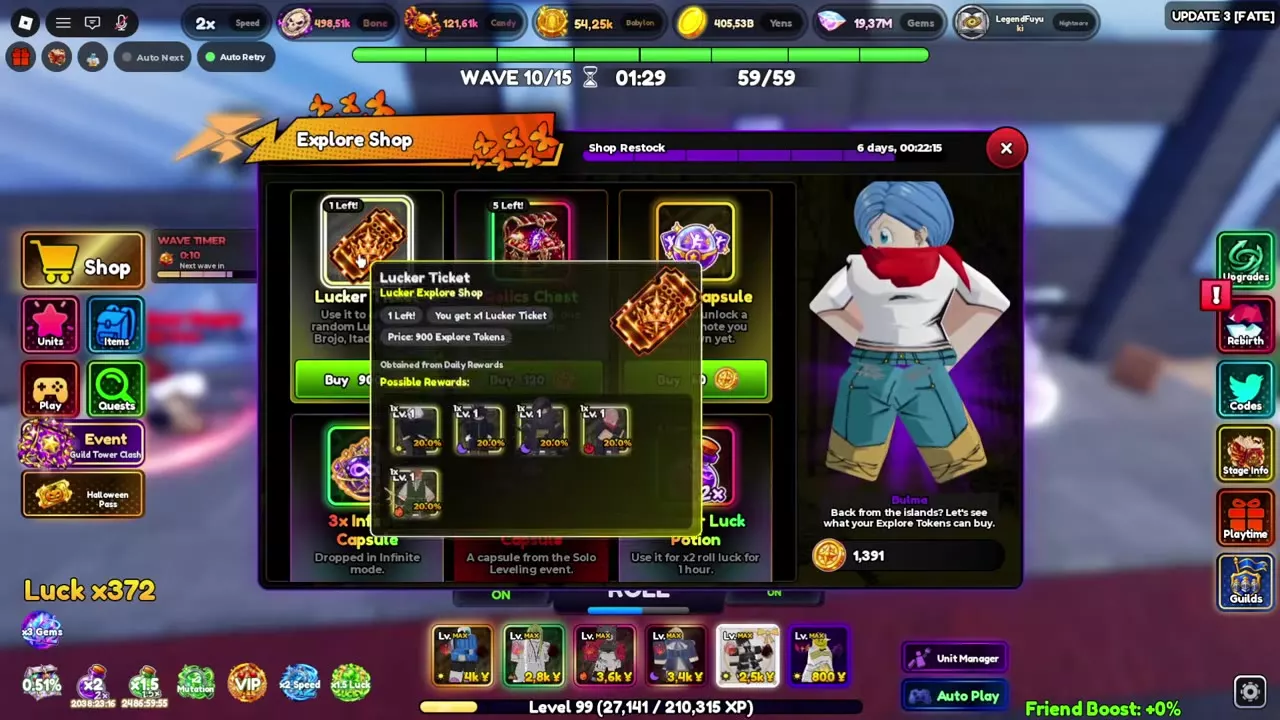
- Explore Shop: Interact with Makema at Unit Exploration, open Explore and select Shop to buy Lucker Ticket with Explore Tokens. Lucker Ticket is also available through Daily Rewards.
The ticket directory gives the Showdown and Explore prices. For other purchases and shop access, use the shops and stock directory.
Portal victories
Gate of Babylon V and Pumpkin Portal Tier V victories can award Roll Ticket x100, with a guarantee after three wins without one. In private servers, Gate of Babylon V also has a 30% Roll Ticket drop chance.
A Gate of Babylon VI or Pumpkin Portal Tier VI victory awards 10 Roll Tickets x100 to every player in the group.
Guild Colossus
In private servers, Guild Colossus reward tiers award 15, 35, 55 or 100 Roll Tickets, in tier order. If you claimed a tier before tickets were added to its rewards, the missing tickets are delivered when you join the game.
Roll and unit tickets
Roll Ticket x100
- Rarity
-
Secret
- Rolls per ticket
-
100 rolls
- Luck
-
Current Luck, potions and boosts
- Applies Auto Sell
-
Yes The summary reports automatic sales, Yen gained and sales caused by full storage.
- Showdown Shop price
-
400 Showdown Tokens
- Tier VI victory reward
-
10 tickets (Gate of Babylon VI or Pumpkin Portal Tier VI victory; every group member)
- Tier V reward guarantee
-
3 wins without a tickets (Gate of Babylon V or Pumpkin Portal Tier V)
- Performs instant rolls through
- 100 × Roll (Per ticket)
- Awarded on victory by
- 10 × Phantom Portal VI (Every group member)10 × Secret Gate of Babylon (Every group member)
Lucker Ticket
- Explore Shop price
-
900 Explore Tokens
- Possible rewards
-
5 units
- Chance per reward
-
20 %
- Sources
-
Explore Shop; Daily Rewards Access Explore through Makema's Unit Exploration interaction, then open Shop.
Use Roll Ticket x100 and Lucker Ticket
Roll Ticket x100
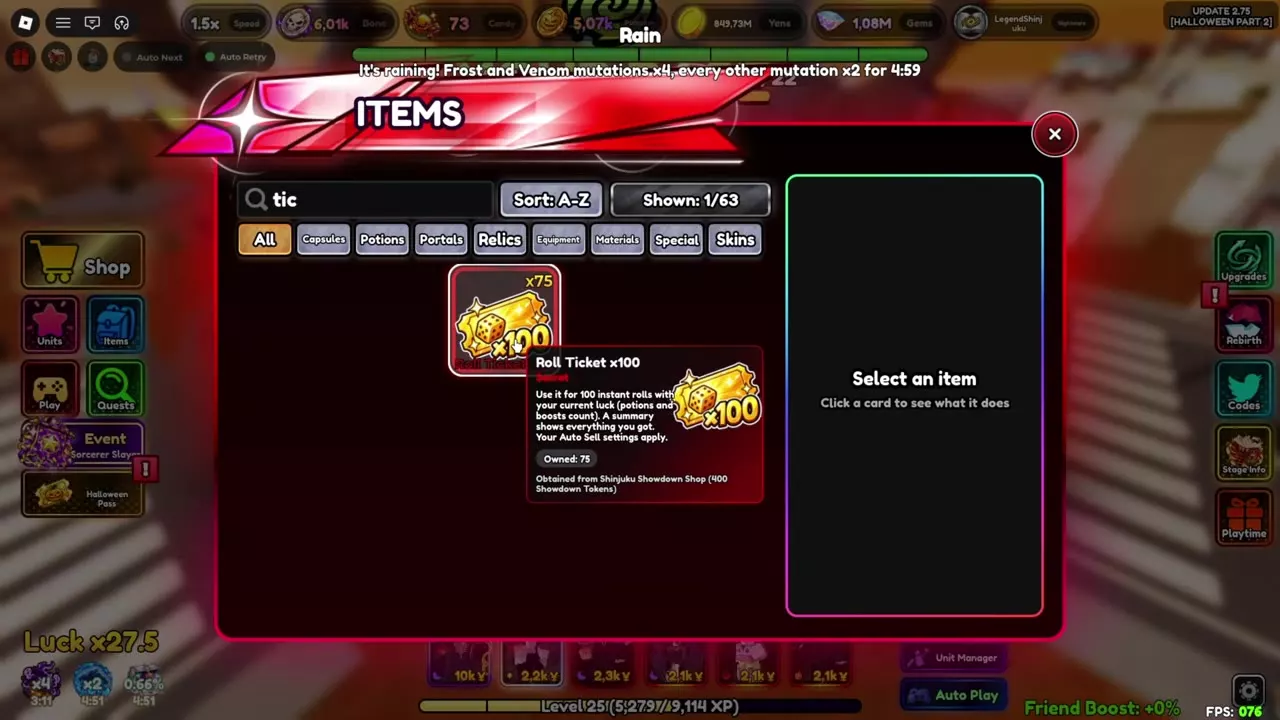
Each Roll Ticket x100 performs 100 instant rolls using your current Luck, including active potions and boosts. Prepare those boosts before pressing Use.
- Activate the Luck potions and boosts you want for the batch.
- Check your Auto Sell settings and free unit storage for results you want to keep.
- Open Items, select All and search for
ticket. - Select Roll Ticket x100, choose the Amount with the slider and press Use.
- Read the Obtained summary, then click anywhere to close it.
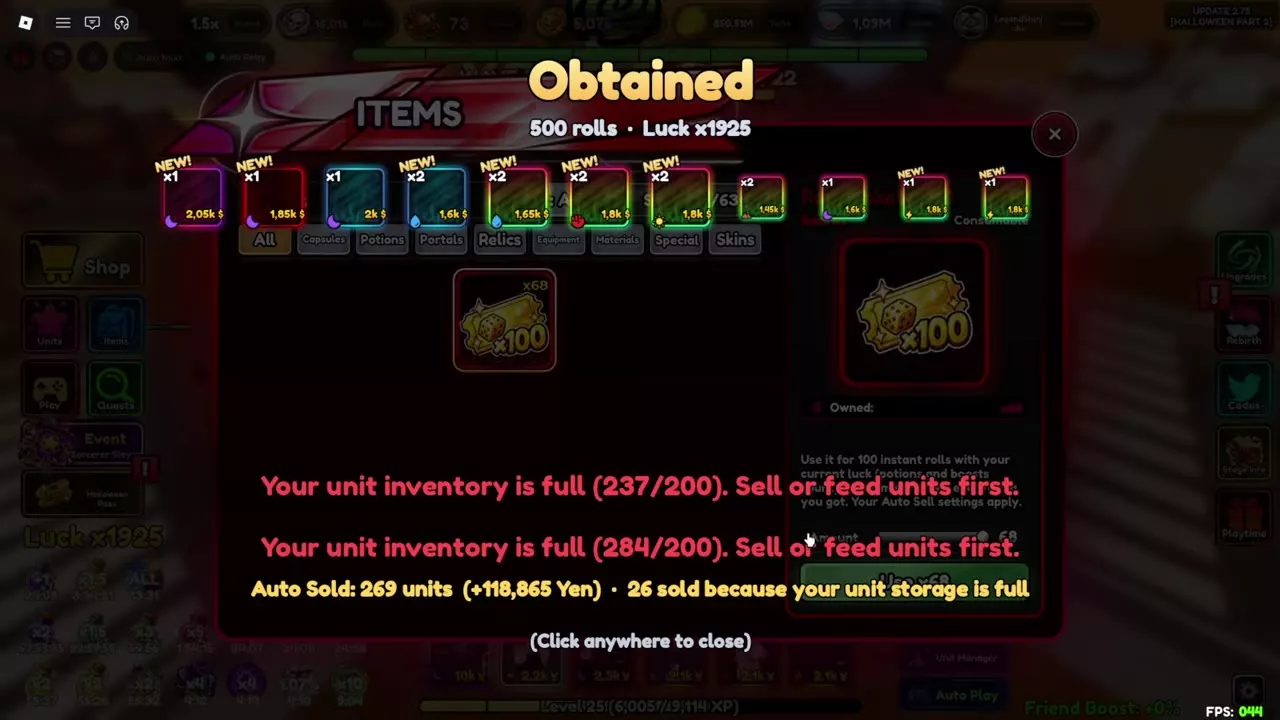
The summary lists your obtained units and reports automatic sales, Yen gained and units sold because storage was full. A ticket batch can leave your inventory over capacity; sell or feed unwanted units before continuing normal rolling.
For example, a 500-roll batch at Luck ×1925 sold 269 units for 118,865 Yen, including 26 units sold because storage was full.
Lucker Ticket
Use Lucker Ticket from Items to receive a random Lucker unit. Its pool contains five possible rewards, each with a 20% chance. Choose this ticket when you want a unit from that reward pool; Roll Ticket x100 performs a batch of normal rolls.
Luck, banners and sale settings
- Prepare your Luck: Use Luck boosts and Rebirths to plan improvements before spending instant-roll tickets.
- Choose an event summon: Banner costs and pity compares event currencies and target guarantees.
- Open capsules: Check capsule rewards and bulk opening for capsule-specific costs and rewards.
- Control automatic sales: Configure Auto Sell and cutscene settings before a large batch so the selling rules match the units you want to keep.