
Anime Nexus RNG Combat Controls, Guard and Damage Rules
Protect the Nexus with deployed units, manage upgrades and abilities, and keep defenders ready when units go down.
The stage ends when the Nexus reaches 0 HP. Select a deployed unit to inspect upgrades, use Guard or manage its abilities. Use E for a ready ability labeled E Cast, and B or its ON/OFF control for automatic casting. Standard downed-placement recovery takes two seconds; Seraph reduces that wait to one second. Every unit has 15% base critical chance, and bosses have a three-second continuous stun limit followed by five seconds of stun immunity.
Protect the Nexus
Enemies emerge from portals, and deployed units move to engage them. Keep the Nexus crystal above 0 HP: losing its remaining health ends the stage in defeat.
Earn battle Yen from kills and money-producing units, then spend it on deployment and upgrades. Establish an opening defense before investing in income. The battle continues while menus are open, so deploy defenders before spending time adjusting other settings.
A unit's individual placement limit and your total deployment limit are separate restrictions. Reaching one unit's limit blocks another placement of that unit; it does not mean every other unit has reached its own limit. Check the current placement feedback rather than treating a limit from another configuration as universal.
To start or retry, check the selected stage and choose Launch. Choose Change to select a different stage. Early Normal Story defeats can still award XP, but act-clear rewards require clearing the act.
Unit panels and Units Manager
Inspect and upgrade a unit
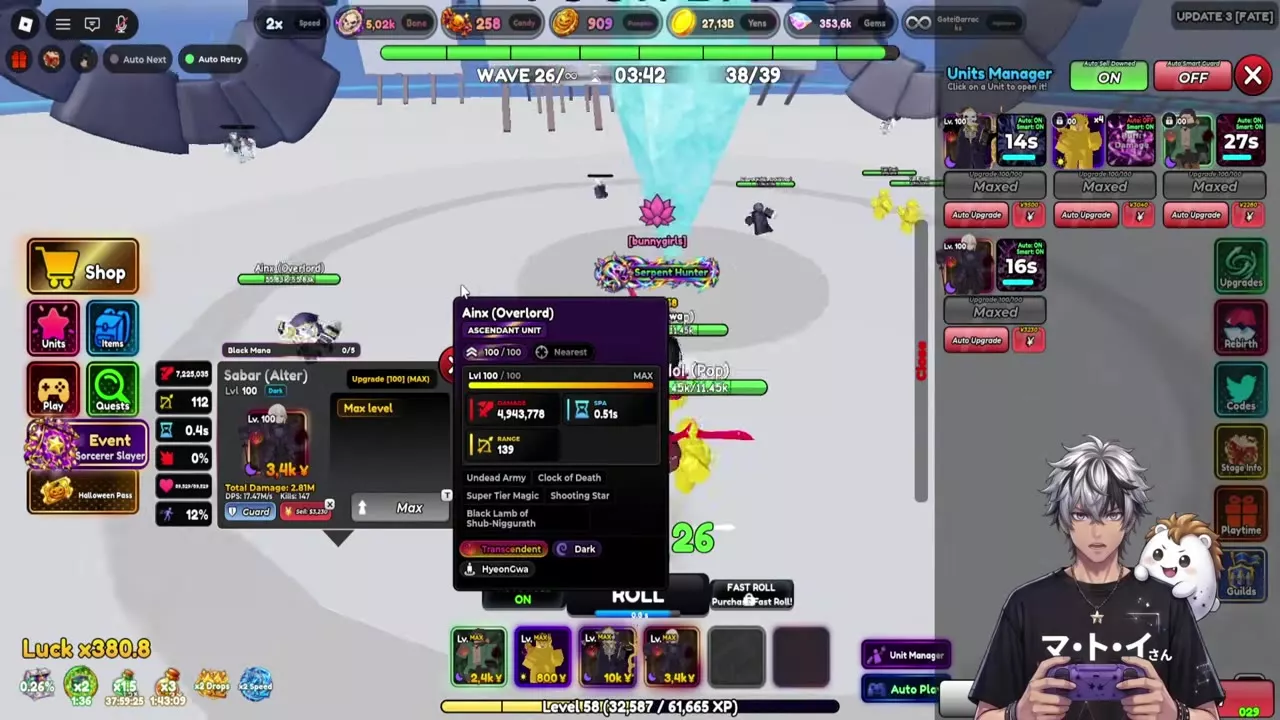
Click a deployed unit to open its combat panel. Its deployment price appears in the hotbar and selected-unit panel. Read the next upgrade cost before spending Yen; MAX, Maxed or Max level marks completed upgrade progression.
Use the panel to inspect targeting, skill countdowns and unit-specific controls. Specials sits above Ability. Open Passives and scroll through the entries for effects, triggers and unlock levels; use View Buffs to inspect active buffs.
Open Units Manager from the side of the battle screen to inspect deployed units together. Its entries show upgrade costs, Auto Upgrade, ability cooldowns and Maxed status. Select an entry to open that unit's combat panel. Enable its Auto Upgrade control when you want upgrades handled automatically.
Guard the crystal
Select a deployed unit and press Guard to keep a defender at the crystal. In Assault, that unit stays at your crystal instead of marching toward Teppelin, leaving other units free to advance.
For group members, the Auto Smart Guard switch at the top of Units Manager assigns your best units to defend the crystal. Guarding, automatic upgrades and automatic ability use have separate controls.
Sell deployed units
Sell All sells every placed unit. Inventory locks do not prevent combat sales. Use it when you intend to clear the deployed team, including units locked in your collection.
Elements, critical chance and boss control
Elemental damage
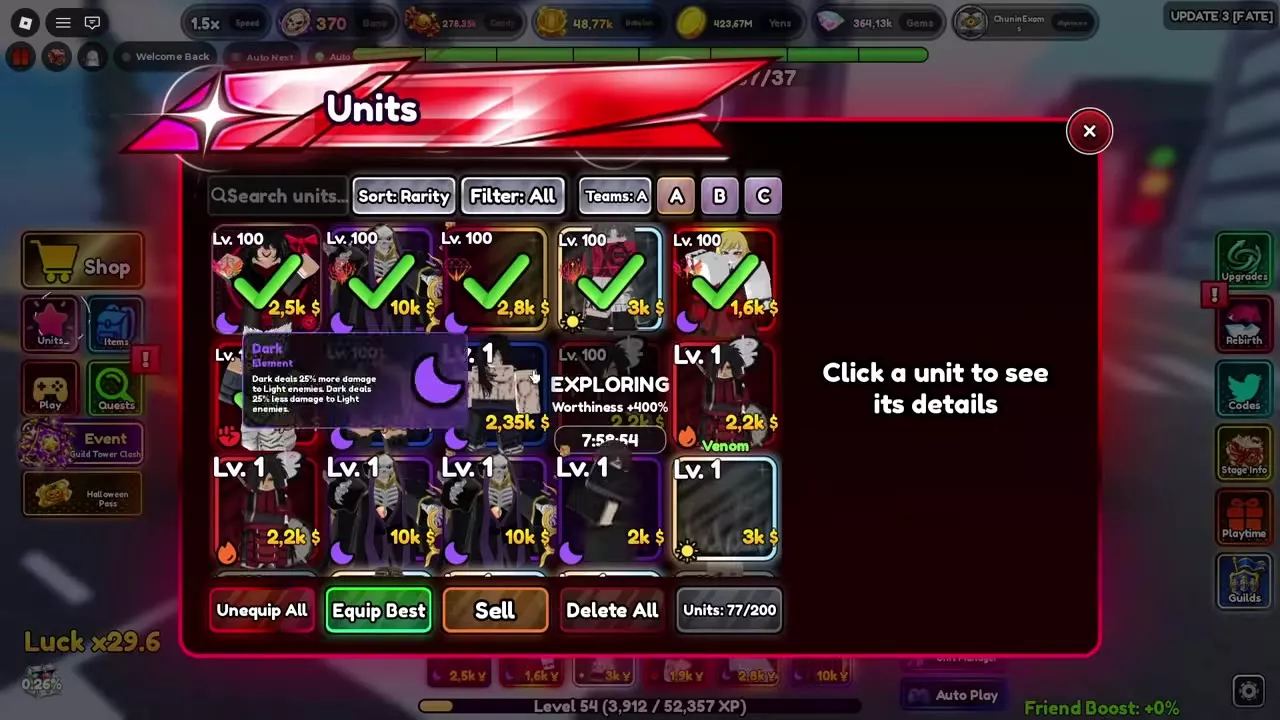
Every unit has an element. Hover over its element tag in Units or Wiki to read the matchup tooltip. The element directory gives Dark and Earth's damage modifiers against their specified targets.
Use these matchups when choosing between otherwise suitable attackers: favor Dark against Light and Earth against Lightning. Earth loses damage against Fire, so an equally capable attacker without that disadvantage is the better choice for that matchup.
Base critical chance
Every unit has 15% base critical chance, before its applicable modifiers. Treat that as the starting chance, rather than the final critical chance of a developed unit.
Boss stun windows
A boss cannot remain continuously stunned for more than three seconds. Afterward, it has five seconds of stun immunity. Space control skills around that interval instead of spending another stun during immunity.
Read Stage Info for additional enemy mechanics and modifiers. Build enough damage and defense to survive periods when stuns do not work. In Gem Rush, the Crystal King on waves 5 and 10 becomes enraged after 60 seconds and can no longer be stunned. With Crystal Emperor, that happens after 30 seconds, and its wardens cannot be stunned. With Frenzied Golems, one golem in five cannot be stunned from wave 6 onward.
2 objects
| Name | Strong against | Damage bonus |
|---|---|---|
|
Light
|
25 %
| |
| ||
|
Lightning
|
25 %
| |
| ||
Use abilities and automatic casting
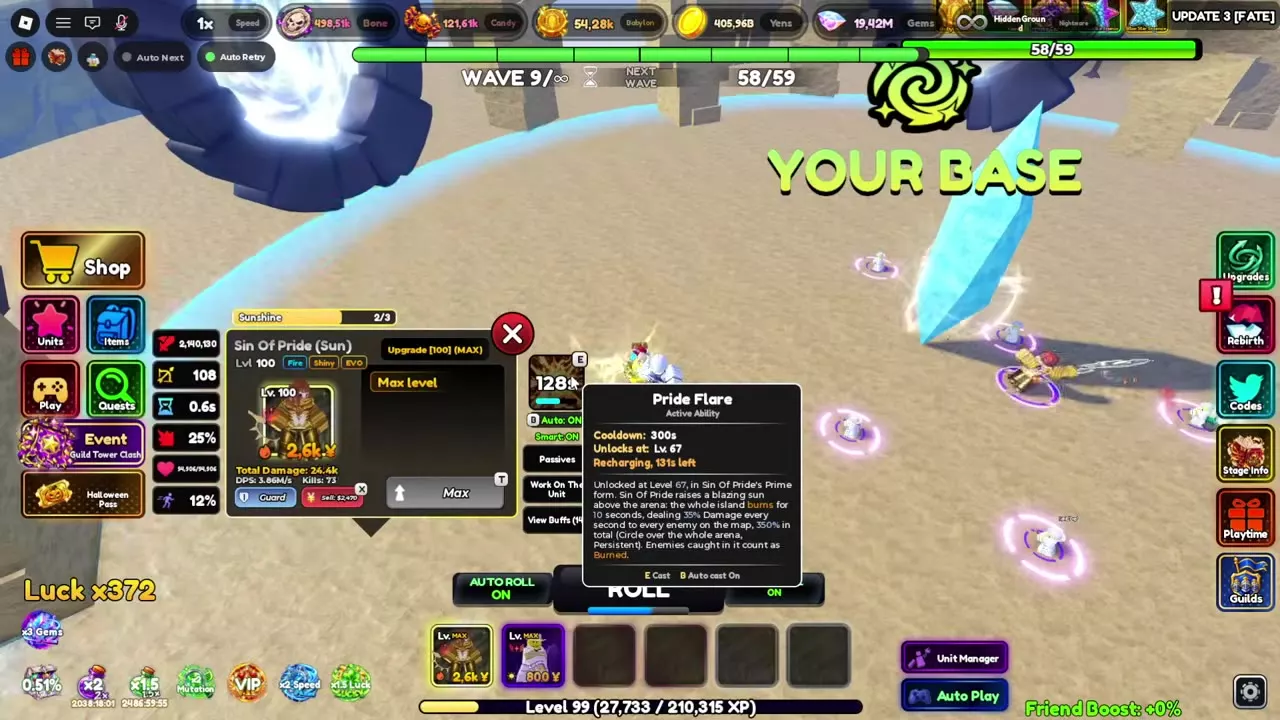
- Select a deployed unit and inspect its Ability panel.
- Read the ability's unlock requirement, effect and cooldown. Meet the requirement and wait for the ability to recharge.
- Press E to cast a ready ability whose panel lists E Cast.
- Press B or use that unit's ON/OFF control to toggle automatic casting.
- Check the unit panel or Units Manager for its countdown and automatic-casting state.
Use manual casting when you want to hold a skill for a particular enemy or control window. Enable automatic casting when you want the unit to handle its active ability without repeated input.
Auto Upgrade spends on upgrades; automatic casting uses abilities. Auto Smart Guard controls crystal defense. Enabling one does not replace the controls for the others.
Special menus, passive triggers and unlock levels belong to the selected unit. Read those entries before planning around an effect; a menu available to one unit is not a shared ability for the entire team.
Downed units and replacement
Automatic sale and replacement
Auto Sell Downed Units is on by default. Find it in Settings > Auto or Units Manager; both controls share the setting. With it enabled, a downed unit is sold two seconds later. Enable Auto Play for automatic placement afterward.
Selling a downed unit refunds 0 Yen, so replacement is not funded by recovering its deployment cost. For the other match automation controls, see Auto Settings, Auto Sell and Cutscenes.
Placement recovery
Under the standard rule, going down starts a two-second wait before that placement becomes available again. Selling an injured unit also starts this wait. Watch the countdown on its hotbar slot. Other available placements of the same unit remain usable during the countdown.
Seraph reduces placement cooldown by 50%, shortening the standard downed-placement wait from two seconds to one second. This modifies placement recovery; the automatic downed-unit sale has its own two-second delay. See trait effects and choices when deciding how to develop units for repeated deployment.
Mode-specific timing
- Gem Rush with Berserk Golems: each time a unit goes down, its redeployment wait increases by 30%, up to a total increase of 120%. Account for longer gaps in your defense when choosing this modifier.
- Assault: downed units return to your crystal and march again after their redeployment timer. The timer is 5–10 seconds from their previous departure, depending on rarity.
Teams and mode strategies
- Farming Teams and Support Choices helps you balance opening damage, control, income and support. Secure the crystal before adding money units.
- Gem Rush Farming and Modifier Choices covers modifier selection, Crystal King shields and reward thresholds. Choose a combination your defense can finish.
- Anime Nexus RNG Units provides unit forms, acquisition routes and individual effects for choosing attackers and reading their specific mechanics.